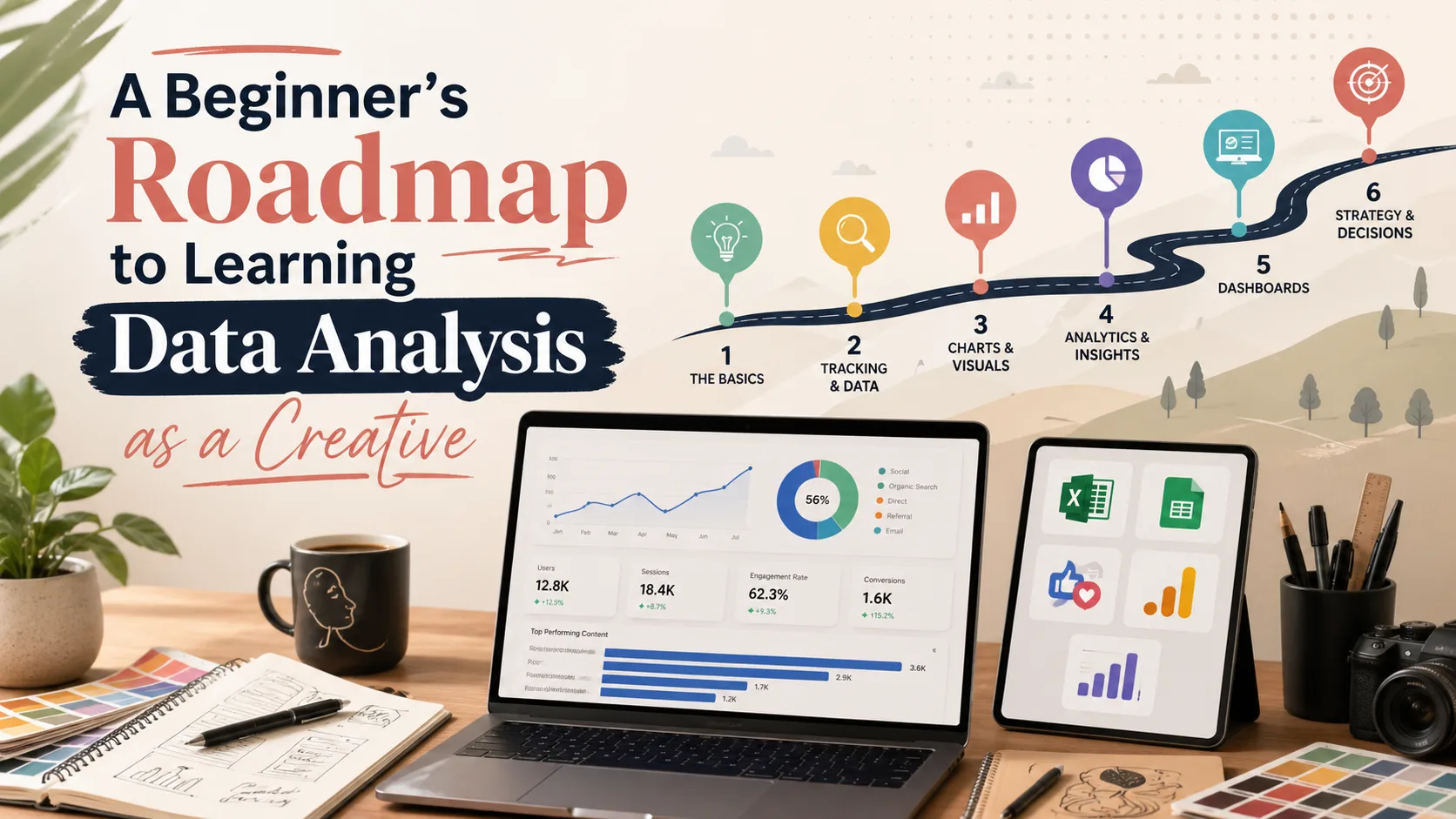

Introduction
In today’s digital world, creativity is no longer limited to talent, ideas, and artistic expression alone. Creatives now work in an environment where content, design, branding, marketing, and business decisions are strongly influenced by data. Whether you are a designer, blogger, content creator, photographer, illustrator, video editor, writer, digital marketer, or freelancer, data can help you understand your audience, measure your performance, and make smarter decisions.
Many creatives hear the phrase “data analysis” and immediately think it is only for mathematicians, statisticians, programmers, or business analysts. This is not true. Data analysis is not only about complex calculations or technical formulas. At its simplest level, it is about collecting information, organizing it, understanding what it means, and using it to make better decisions.
For creatives, learning data analysis can be a powerful advantage. It can help you know what type of content performs best, which audience responds to your work, what clients need, how your brand is growing, and where you should focus your energy. Instead of guessing, data gives you direction.
This roadmap is designed to help beginners understand how to start learning data analysis in a simple, practical, and creative way.
What Data Analysis Means for Creatives
Data analysis is the process of turning raw information into useful insights. For creatives, this information can come from many places, such as social media analytics, website traffic, client feedback, sales records, portfolio views, blog performance, content engagement, or survey responses.
For example, if you are a content creator, data analysis can help you know which posts get the most engagement. If you are a designer, it can help you understand which portfolio projects attract the most attention. If you are a blogger, it can show which topics bring more readers. If you are a freelancer, it can help you know which type of clients or services bring better results.
In simple terms, data analysis helps creatives answer questions like:
- What content does my audience enjoy most?
- Which platform gives me the best result?
- What topic should I write or create about next?
- Which design or project attracts more attention?
- How can I improve my personal brand?
- What service should I focus on as a freelancer?
- How can I measure my creative growth?
When creatives understand data, they can make decisions with more confidence.
Why Creatives Should Learn Data Analysis
Learning data analysis is important because it helps creatives become more strategic. Creativity is powerful, but when it is supported by data, it becomes more effective.
Many creatives create content without knowing whether it is working. They post on social media, publish blog posts, or update portfolios without tracking results. Over time, this can lead to confusion because they do not know what is helping them grow.
Data analysis helps solve this problem. It allows creatives to measure progress, understand audience behaviour, and improve their work based on real evidence.
For example, a designer may discover that process videos get more engagement than final design images. A blogger may find that practical tutorials bring more traffic than general opinion articles. A photographer may notice that behind-the-scenes posts attract more comments than polished final photos. A freelancer may realize that LinkedIn brings more serious client inquiries than Instagram.
These insights help creatives avoid wasting time and focus on what works.
Step 1: Start With the Right Mindset
The first step in learning data analysis is to have the right mindset. You do not need to become a data scientist before you can use data. You only need to understand the basics and apply them to your creative work.
As a beginner, focus on progress, not perfection. You may not understand every chart, formula, or tool at first, and that is normal. The goal is to start small and grow gradually.
You should see data as a creative support system, not a replacement for creativity. Data should not control your creativity completely. Instead, it should guide your decisions and help you understand what your audience needs.
For example, if your data shows that your audience enjoys educational content, you can use your creativity to present that education in a unique and interesting way.
A good mindset is this: creativity brings the idea, and data helps you improve the impact.
Step 2: Understand Basic Data Terms
Before using tools, it is helpful to understand some basic data terms. These terms will appear often when you use analytics platforms, Excel, Google Sheets, or dashboards.
1. Data
Data simply means information. It can be numbers, text, dates, feedback, comments, clicks, views, or ratings. For creatives, examples of data include likes, comments, shares, website visits, client inquiries, content views, and sales.
2. Metrics
Metrics are specific numbers used to measure performance. For example, views, engagement rate, clicks, reach, followers gained, and conversions are metrics. Metrics help you know whether your content or creative work is performing well.
3. Insights
Insights are the useful meanings you get from data. For example, if your posts about Excel receive more saves than other posts, the insight may be that your audience wants practical tool-based content.
4. Trends
Trends are patterns that happen over time. For example, if your blog traffic keeps increasing every month, that is a positive trend.
5. Dashboard
A dashboard is a visual display of important data. It usually includes charts, tables, and key numbers that help you understand performance quickly.
6. Engagement
Engagement refers to how people interact with your content. This may include likes, comments, shares, saves, clicks, or replies.
7. Conversion
A conversion happens when someone takes a desired action. This could be filling a contact form, subscribing to a newsletter, downloading a file, buying a product, or booking your service.
Understanding these terms will make data analysis less confusing.
Step 3: Learn the Basic Data Analysis Process
Data analysis follows a simple process. As a creative, you can use this process for your blog, portfolio, social media, business, or client work.
1. Ask a Question
Every analysis should begin with a question. Without a question, you may collect random data without knowing what to do with it.
Examples of good questions include:
- Which content type performs best on my page?
- Which blog post brings the most visitors?
- Which platform gives me more engagement?
- Which service attracts more clients?
- What topic does my audience care about most?
A clear question gives your analysis direction.
2. Collect Data
After asking a question, collect the data needed to answer it. For example, if you want to know which content performs best, you may collect data on views, likes, comments, shares, saves, and clicks.
3. Clean and Organize the Data
Data is not always neat. You may need to remove duplicates, correct mistakes, arrange columns properly, or make sure all numbers are entered correctly.
For example, if some dates are written as “April 2” and others as “02/04/2026,” you should make the format consistent. Clean data gives better results.
4. Analyze the Data
Analysis means studying the data to find patterns, comparisons, and useful information. For example, you may compare Instagram posts with LinkedIn posts to see which platform gives better engagement.
5. Interpret the Results
Interpretation means explaining what the analysis means. It is not enough to say, “This post got 500 views.” You should ask what the result means for your creative strategy.
6. Take Action
The final step is action. Data is only valuable when it helps you improve. If your analysis shows that tutorials perform best, create more tutorials. If your portfolio page has low visits, promote it more. If LinkedIn brings more clients, create more professional content there.
Step 4: Start With Excel or Google Sheets
Excel and Google Sheets are excellent beginner tools for creatives. They are simple, flexible, and useful for organizing data.
You can use Excel or Google Sheets to track:
- Content performance
- Monthly goals
- Social media growth
- Blog traffic
- Client inquiries
- Project timelines
- Income and expenses
- Portfolio performance
- Engagement rate
- Email subscribers
Start with a simple spreadsheet. For example, if you want to track social media content, create columns like:
- Date posted
- Platform
- Content topic
- Content type
- Views
- Likes
- Comments
- Shares
- Saves
- Clicks
- Followers gained
- Total engagement
- Engagement rate
- Notes
This simple table can help you understand what type of content is working.
To calculate engagement rate:
Engagement Rate = Total Engagement ÷ Reach × 100
Learning basic formulas will help you analyze your creative performance more professionally.
Step 5: Learn Simple Charts and Visualizations
Data becomes easier to understand when it is visual. Charts help you see patterns quickly.
Bar Chart
A bar chart is useful for comparing categories. For example, you can use it to compare engagement across Instagram, LinkedIn, TikTok, and YouTube.
Line Chart
A line chart is useful for showing growth over time. For example, you can use it to track your followers or blog views month by month.
Pie Chart
A pie chart is useful for showing proportions. For example, it can show the percentage of traffic coming from Google, Instagram, LinkedIn, or direct visits.
Column Chart
A column chart is useful for comparing content topics or content types.
Visualizing your data helps you quickly understand what is improving and what needs attention.
Step 6: Learn Google Analytics for Website or Blog Tracking
If you have a blog, portfolio, or website, Google Analytics is one of the most useful tools to learn.
Google Analytics helps you understand how visitors interact with your website. It can show:
- How many people visit your website
- Which pages they view
- How long they stay
- Where they come from
- Which blog posts perform best
- What devices they use
- Whether they click important links
- Whether they visit your contact page
For creatives, this is very valuable. If you write blog posts, Google Analytics can show which topics attract readers. If you have a portfolio, it can show which projects people view most. If you offer services, it can help you know whether visitors are reaching your contact page.
As a beginner, focus on these basic reports:
- Users
- Views
- Traffic sources
- Top pages
- Engagement rate
- Average engagement time
- Events
Step 7: Learn Social Media Analytics
Most creatives use social media to promote their work. That is why social media analytics is important.
Platforms like Instagram, LinkedIn, TikTok, Facebook, YouTube, and Pinterest provide insights into how your content performs.
You can track:
- Reach
- Impressions
- Likes
- Comments
- Shares
- Saves
- Followers gained
- Profile visits
- Link clicks
- Video watch time
- Audience demographics
Social media analytics helps you understand what your audience enjoys. For example, if your audience saves more educational posts, you may create more practical guides. If videos get more reach than images, you may include more video content.
Step 8: Practice With Your Own Creative Data
The best way to learn data analysis is by practicing with your own data. This makes the learning process more interesting and relevant.
You can analyze:
- Your last 20 Instagram posts
- Your blog views for the month
- Your LinkedIn post engagement
- Your portfolio page visits
- Your client inquiries
- Your content topics
- Your income from creative services
- Your monthly follower growth
- Your email newsletter performance
For example, you can analyze your last 20 posts and ask:
- Which post had the highest engagement?
- Which content type performed best?
- Which topic got the most saves?
- Which platform brought more clicks?
- What should I create more of next month?
Step 9: Build a Simple Dashboard
Once you are comfortable tracking data, the next step is to build a simple dashboard.
A dashboard helps you summarize your key metrics in one place. You can build a dashboard in Excel or Google Sheets.
A simple creative dashboard may include:
- Total reach
- Total engagement
- Average engagement rate
- Followers gained
- Top-performing content
- Best platform
- Website visits
- Blog views
- Client inquiries
- Monthly growth chart
A dashboard makes it easier to review your progress quickly. It also helps you make better decisions.
Step 10: Learn How to Tell Stories With Data
Data is more powerful when it tells a story. As a creative, storytelling is already part of your strength. Data storytelling means explaining numbers in a way that is clear, useful, and interesting.
For example, instead of saying:
My engagement rate increased by 20%.
You can say:
After I started posting more practical design tutorials, my engagement rate increased by 20%, showing that my audience prefers educational content they can apply immediately.
This tells a clearer story. Data storytelling is useful when writing reports, creating blog posts, explaining results to clients, presenting portfolio case studies, sharing growth updates, and making business decisions.
Step 11: Apply Data to Your Creative Strategy
The purpose of learning data analysis is not just to understand numbers. The goal is to improve your creative strategy.
You can use data to decide:
- What content to create next
- Which platform to focus on
- What service to promote
- What audience to target
- What blog topic to write
- What design style works better
- What time to post
- What offer attracts more interest
For example, if your data shows that your audience loves practical Excel tutorials, you can create a series on Excel for creatives. If your data shows that portfolio case studies bring more client inquiries, you can publish more case studies.
Data helps you work smarter, not just harder.
Step 12: Avoid Common Beginner Mistakes
1. Tracking Too Many Things at Once
Do not overwhelm yourself with too many metrics. Start with a few important ones, such as views, engagement, clicks, and followers gained.
2. Focusing Only on Likes
Likes are useful, but they do not tell the full story. Saves, shares, comments, clicks, and inquiries may show deeper value.
3. Ignoring Context
Numbers need explanation. A post may perform poorly because of timing, weak title, poor design, or low relevance. Always look beyond the number.
4. Not Being Consistent
Data becomes useful when you track it regularly. If you track today and stop for two months, it becomes difficult to see patterns.
5. Copying Trends Without Understanding Your Audience
Data should help you understand your own audience, not blindly copy what others are doing.
6. Not Taking Action
The biggest mistake is collecting data without using it. Every analysis should lead to a decision or improvement.
A Simple 30-Day Learning Roadmap
Week 1: Understand the Basics
Learn what data analysis means. Understand basic terms such as metrics, insights, trends, engagement, dashboard, and conversion. Choose one area of your creative work to track, such as social media posts or blog performance.
Week 2: Start Tracking With Excel
Create a simple Excel or Google Sheets tracker. Record your content data, including date, platform, content type, views, likes, comments, shares, saves, clicks, and notes. Learn simple formulas for total engagement and engagement rate.
Week 3: Create Charts and Find Patterns
Use bar charts, line charts, and pie charts to visualize your data. Identify your best-performing content, best platform, and strongest content type. Write down at least three insights from your data.
Week 4: Build a Simple Dashboard and Take Action
Create a simple dashboard showing your key metrics. Review your data and decide what to improve next month. Plan new content based on your insights.
By the end of 30 days, you will have a practical understanding of data analysis and how it applies to your creative work.
Tools Creatives Can Start With
Excel
Best for tracking content, creating dashboards, calculating metrics, and organizing creative data.
Google Sheets
Best for online tracking, collaboration, and simple dashboards.
Google Analytics
Best for understanding website visitors, blog performance, and traffic sources.
Social Media Analytics
Best for understanding content performance across platforms like Instagram, LinkedIn, TikTok, YouTube, and Facebook.
Canva
Useful for turning insights into simple visual reports or infographics.
Notion
Useful for organizing content ideas, tracking goals, and planning creative projects.
Start with one or two tools. Do not try to learn everything at once.
How Data Analysis Can Help You Make Money as a Creative
Learning data analysis can also help you earn money. It gives you skills that many creatives do not have.
You can use data analysis to:
- Improve your personal brand
- Attract better clients
- Create performance reports for clients
- Offer content analysis services
- Build dashboards for small businesses
- Help creatives track their growth
- Create digital products like templates
- Write blog posts and guides
- Teach data analysis for creatives
For example, you can create a service such as:
I help creatives track their content performance using Excel.
This is a practical service that can attract designers, bloggers, influencers, and small business owners.
Conclusion
Learning data analysis as a creative does not have to be difficult. You do not need to be a math expert or a programmer to begin. What you need is curiosity, consistency, and a willingness to use information to improve your work.
Data analysis helps creatives understand their audience, track performance, improve strategy, and make smarter decisions. It turns guesswork into clarity and helps creativity become more effective.
Start small. Learn basic terms. Track your own content. Use Excel or Google Sheets. Study your results. Build simple charts. Create a dashboard. Then use your insights to improve your creative work.
Creativity gives you ideas, but data helps you know which ideas are working. When you combine both, you become a more strategic, confident, and valuable creative professional.