
Introduction
Having a blog, portfolio, or website is very important for creatives who want to build visibility, attract clients, and grow professionally. A website gives people a place to learn about your work, read your ideas, view your portfolio, and contact you for opportunities. However, simply having a website is not enough. You also need to understand how people are using it.
Many creatives publish blog posts, upload portfolio projects, or create service pages without checking how visitors interact with them. They may not know where their visitors are coming from, which pages people read the most, or why some visitors leave quickly. Without this information, it becomes difficult to improve the website and create better content.
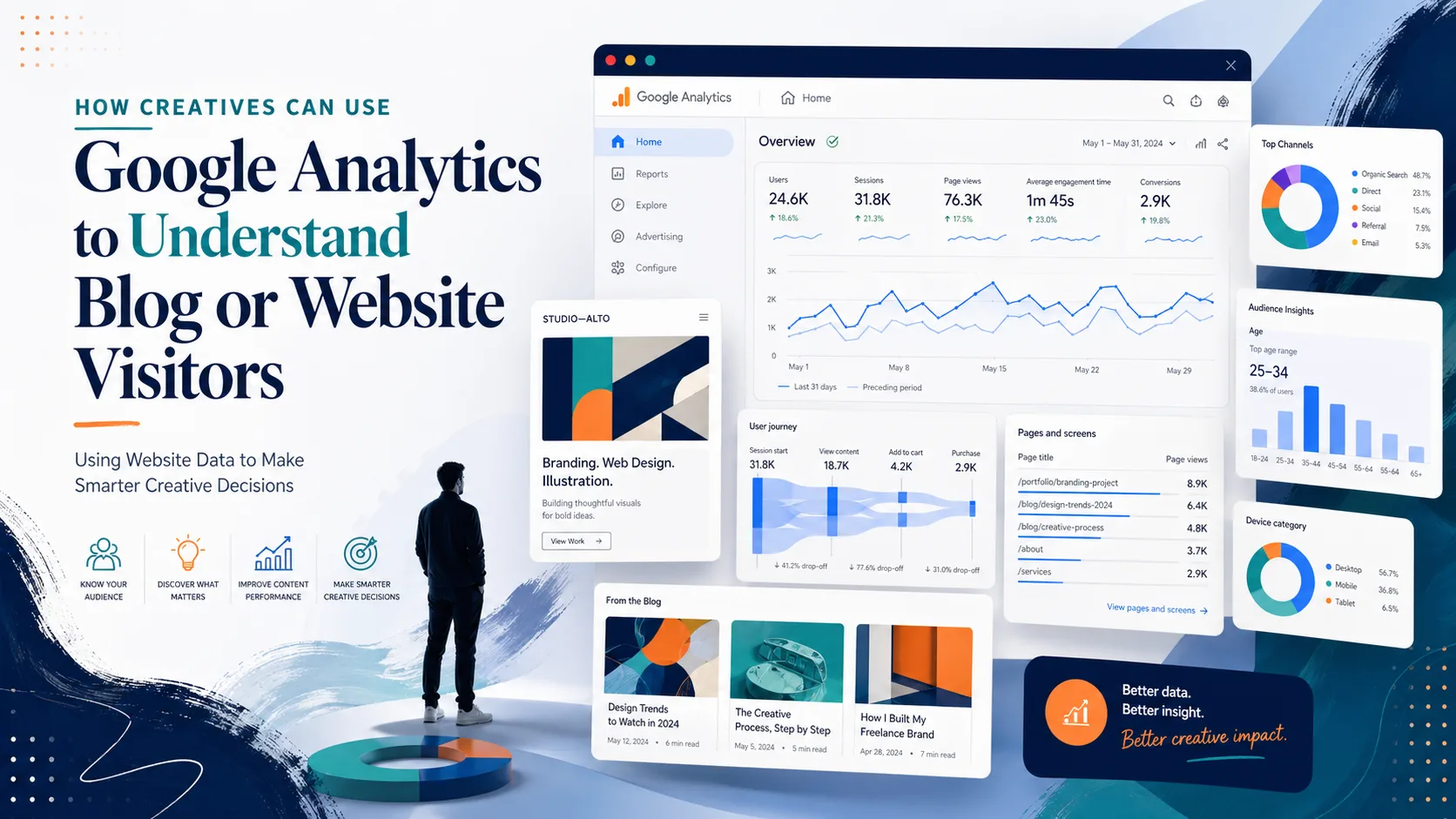
This is where Google Analytics becomes useful. Google Analytics helps website owners understand their visitors. It shows useful information such as how many people visit your site, which pages they view, how long they stay, where they come from, and what actions they take.
For creatives, this data can help improve blog content, portfolio structure, service pages, and overall online strategy. Using Google Analytics does not mean you must become a technical expert. It simply means using website data to make smarter creative and business decisions.
What Is Google Analytics?
Google Analytics is a free web analytics tool from Google that helps you measure and understand website traffic. It collects information about how people find and use your website. This information is then displayed in reports that help you understand visitor behaviour.
For example, Google Analytics can show you how many people visited your blog this month, which article got the most views, whether people came from social media or Google search, and how long they stayed on your pages.
For a creative, this information is valuable because your website is part of your brand. If you understand how visitors interact with your site, you can improve the content, design, and user experience.
Google Analytics helps answer questions such as:
- What pages are people visiting most?
- Where are my visitors coming from?
- Are people reading my blog posts?
- Which content attracts the most attention?
- Are visitors leaving too quickly?
- Which platform sends the most traffic to my website?
- Are people clicking my contact or portfolio page?
These answers help you improve your website with evidence instead of guesswork.
Why Website Data Is Important for Creatives
Creatives often use websites for different purposes. A designer may use a portfolio website to show projects. A blogger may use a website to publish articles. A photographer may use a website to display galleries. A freelancer may use a site to attract clients. A content creator may use a blog to build authority.
In all these cases, website data is important because it shows whether the website is achieving its purpose.
For example, if your goal is to attract clients, you need to know whether visitors are viewing your service page or contact page. If your goal is to grow your blog, you need to know which articles bring the most readers. If your goal is to build your personal brand, you need to know which topics make people stay longer and explore more pages.
Website data helps creatives:
- Understand visitor behaviour
- Identify popular content
- Improve weak pages
- Know where traffic comes from
- Measure blog growth
- Improve portfolio presentation
- Make better content decisions
- Increase inquiries and opportunities
Without website data, it is easy to rely on assumptions. With Google Analytics, you can see what is actually happening.
Key Google Analytics Metrics Creatives Should Understand
1. Users
Users refer to the number of people who visit your website within a selected period. If your website had 1,000 users in a month, it means about 1,000 people visited your site.
This metric helps you understand the size of your audience. If your users are increasing month by month, it means your website is growing. For creatives, users can show whether your blog, portfolio, or personal brand is attracting attention.
2. Views
Views show how many times pages on your website were viewed. One person can view more than one page, so page views may be higher than users.
For example, if one visitor reads three blog posts, that counts as one user but three views. Views help you understand how much content people are consuming on your website.
3. Sessions
A session is a visit to your website. One user can have multiple sessions. For example, if someone visits your blog in the morning and returns again at night, that can count as two sessions.
Sessions help you understand how often people are visiting your website.
4. Engagement Rate
Engagement rate shows the percentage of sessions where visitors interacted meaningfully with your website. This may include staying longer, viewing multiple pages, or completing an action.
A high engagement rate is a good sign because it means people are interested in your content. For creatives, engagement rate is useful because it shows whether your website is holding visitors’ attention.
5. Average Engagement Time
Average engagement time shows how long visitors actively spend on your website or page.
If visitors spend more time on a blog post, it may mean the content is useful or interesting. If they leave quickly, the page may need improvement.
6. Traffic Sources
Traffic sources show where your visitors come from. This is one of the most important reports for creatives.
Visitors may come from:
- Google search
- TikTok
- YouTube
- Direct link
- Email newsletter
- Other websites
If most of your traffic comes from LinkedIn, it means LinkedIn is helping your website grow. If Google search brings many visitors, it means your blog content may be performing well in search results.
7. Top Pages
Top pages show which pages or blog posts receive the most visits. This is very useful because it helps you understand what your audience cares about most.
If your most-read posts are about Excel, dashboards, or personal branding, you can create more content around those topics. For portfolio websites, top pages can show which projects attract the most attention.
8. Events
Events are actions visitors take on your website. These may include clicks, downloads, video plays, form submissions, or link clicks.
For creatives, events can help track important actions such as:
- Clicking a contact button
- Downloading a portfolio
- Clicking a service page
- Playing a video
- Signing up for a newsletter
- Clicking a social media link
Events help you understand whether visitors are taking meaningful actions.
How Creatives Can Use Google Analytics Practically
1. Identify Your Most Popular Blog Posts
One of the first things to check is your most popular pages or blog posts. This helps you understand what topics attract the most readers.
For example, if your blog posts about “Data Analysis for Creatives” get more views than general design posts, it shows that your audience is interested in data-related creative content.
Once you identify your popular posts, you can:
- Write more articles on similar topics
- Update the post with more useful information
- Add links to related posts
- Promote your services inside the post
- Create social media content from the post
- Turn the topic into a short guide or digital product
Popular content gives you direction. It shows what your audience already likes.
2. Understand Where Your Visitors Come From
Traffic source data helps you know which platforms are bringing visitors to your website.
For example, you may discover that:
- LinkedIn brings professional visitors
- Instagram brings creative followers
- Pinterest brings long-term traffic
- Google search brings new readers
- WhatsApp brings personal network traffic
This information helps you focus your promotion strategy. Instead of promoting everywhere blindly, Google Analytics helps you know where your effort is working.
3. Improve Pages With Low Engagement
Some pages may get visitors but have low engagement. This means people visit the page but do not stay long or interact much.
For example, if many people open your portfolio page but leave quickly, it may mean:
- The page loads slowly
- The design is confusing
- The projects are not well explained
- The contact button is not clear
- The page does not match what visitors expected
For a blog post, low engagement may mean:
- The introduction is weak
- The title does not match the content
- The content is too short
- The formatting is difficult to read
- There are no examples
- The post does not answer the reader’s question
Google Analytics helps you identify weak pages so you can improve them.
4. Know Which Portfolio Projects Attract Attention
If you are a designer, photographer, illustrator, or creative freelancer, your portfolio is very important. Google Analytics can show which portfolio pages people visit most.
This helps you understand what type of work attracts attention. For example, if your branding projects receive more views than your poster designs, you may decide to promote your branding services more.
5. Measure the Effectiveness of Your Content Promotion
When you share a blog post on social media, Google Analytics can help you see whether people actually visit the article.
For example, after sharing a post on LinkedIn, you can check whether LinkedIn traffic increased. After sharing on WhatsApp, you can check if direct traffic increased. After posting on Instagram, you can check if Instagram brought visitors.
This helps you know which promotion method is working.
6. Understand Visitor Location
Google Analytics can show where your visitors are located. This can include countries, cities, or regions.
For creatives, location data can be useful. If most of your visitors come from Nigeria, you may create content that relates to Nigerian creatives. If many visitors come from the United States, United Kingdom, or Canada, you may adjust examples or services to appeal to international clients.
7. Track Contact Page Visits
If your goal is to get clients, your contact page is very important. Google Analytics can help you know whether people are visiting your contact page.
If many people read your blog but few visit your contact page, you may need stronger call-to-action statements.
For example, at the end of your blog posts, you can add:
Need help tracking your creative performance with data? Contact me for support.
Tracking contact page visits helps you understand whether your website is helping you attract opportunities.
8. Improve Your Blog Strategy
Google Analytics can guide your blog strategy by showing what topics bring traffic and engagement.
For example, if your best-performing posts are practical guides, you can write more step-by-step articles. If posts about Excel bring more readers, you can create a full series on Excel for creatives. If your audience spends more time on beginner-friendly posts, you can keep your explanations simple and clear.
Instead of asking, “What should I write next?” you can look at your data and ask, “What has my audience already shown interest in?”
How to Turn Google Analytics Data Into Action
Data is only useful when it leads to action. After checking your Google Analytics reports, you should decide what to improve.
Here are some examples:
- If a blog post gets many views, update it and link it to related posts.
- If a page has low engagement, improve the introduction, layout, or content.
- If visitors come from LinkedIn, promote more content on LinkedIn.
- If people visit your portfolio but do not contact you, improve your call-to-action.
- If a topic performs well, write more posts around that topic.
- If mobile visitors leave quickly, improve the mobile design of your website.
- If visitors spend more time on case studies, create more detailed case studies.
The goal is to use data as a guide for improvement.
Simple Weekly Google Analytics Routine for Creatives
You do not need to check Google Analytics every hour. A simple weekly routine is enough.
Every week, check:
- How many users visited your site?
- Which pages got the most views?
- Where did visitors come from?
- Which blog posts had high engagement?
- Which pages had low engagement?
- Did people visit your contact or portfolio page?
- What can you improve next week?
At the end of every month, write down three insights:
- What content performed best?
- Which traffic source worked best?
- What should I create or improve next month?
This simple habit can help you grow your website intentionally.
Common Mistakes Creatives Should Avoid
1. Looking Only at Total Visitors
Total visitors are important, but they do not tell the full story. A website with fewer visitors but higher engagement may be better than a website with many visitors who leave quickly.
2. Ignoring Traffic Sources
If you do not know where visitors come from, you may waste time promoting on platforms that do not bring results.
3. Not Checking Top Pages
Your top pages show what your audience cares about. Ignoring them means missing useful content ideas.
4. Not Improving Weak Pages
Google Analytics can show pages with poor engagement. Do not ignore them. Improve them with better writing, clearer design, stronger examples, and better call-to-action.
5. Collecting Data Without Taking Action
The biggest mistake is checking analytics without using the information. Data should lead to improvement.
Conclusion
Google Analytics is a powerful tool that helps creatives understand how people interact with their blogs, portfolios, and websites. It shows where visitors come from, which pages they view, how long they stay, and what actions they take.
For creatives, this information is very valuable. It helps improve blog strategy, portfolio presentation, content promotion, and client attraction. You do not need to be a technical expert to use Google Analytics. You only need to understand the basic metrics and use them to make better decisions.
By studying website data regularly, creatives can stop guessing and start improving with confidence. Whether you are a blogger, designer, photographer, freelancer, or content creator, Google Analytics can help you understand your audience, strengthen your online presence, and grow your creative brand more strategically.