
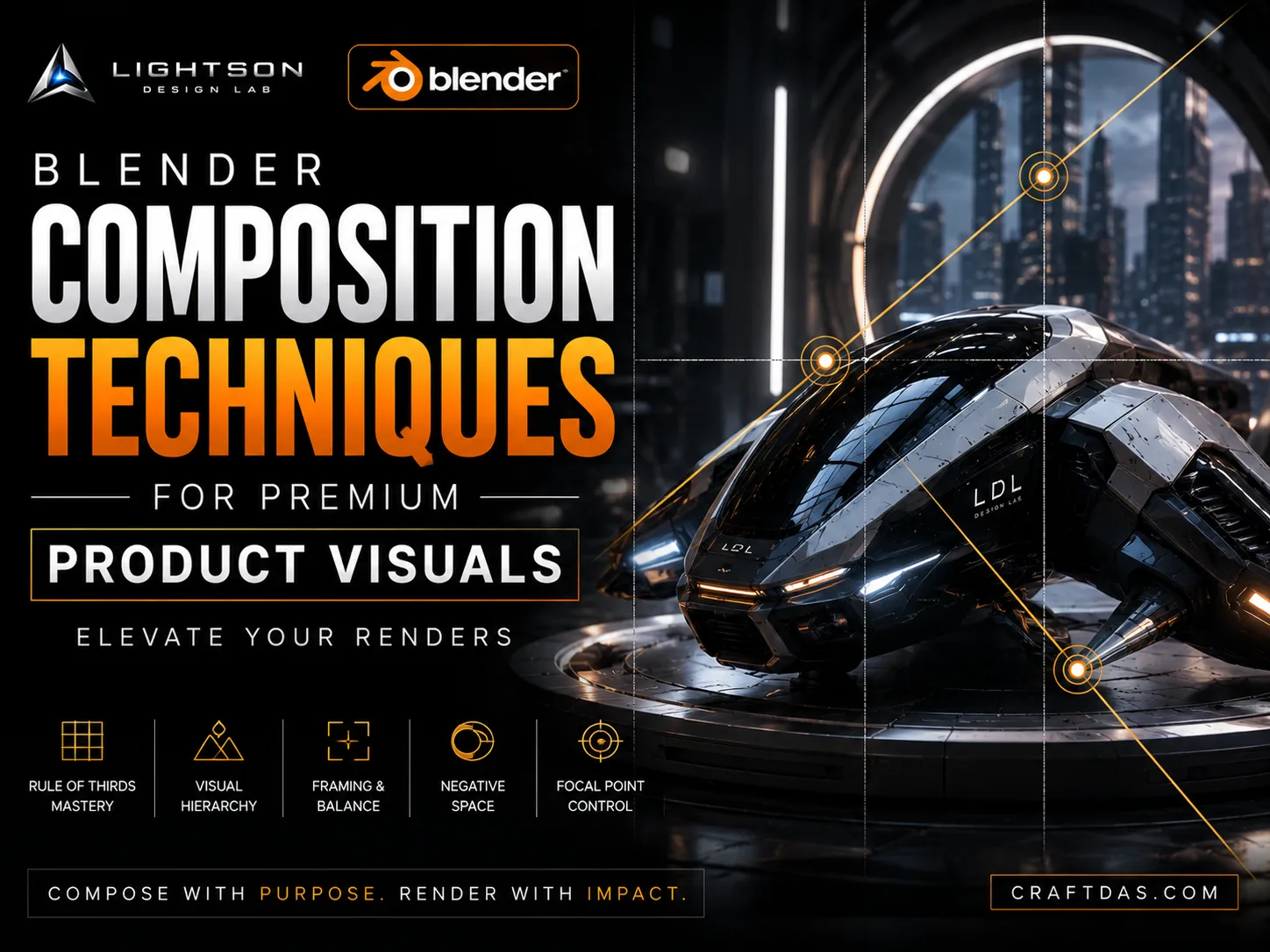

Composition is the moment when technical execution becomes visual opinion. Every artist who opens Blender can model, texture, and light. But the arrangement of elements within the frame—what is included, what is excluded, what is emphasized, what is suppressed—is where the artist reveals whether they are a technician or a director. In premium futuristic product visualization, composition is not a finishing step. It is the governing intelligence behind every other creative decision.
This article is about premium product render composition in Blender as a creative discipline. It is not a guide to the rule of thirds. It is not a checklist of compositional formulas. It is a framework for thinking about the frame as a designed space where every element earns its position or is removed. If you have been positioning your camera where it happens to fit the model and calling it composition, what follows will fundamentally restructure how you see through the lens.
At Craftdas, we teach that composition is the least forgiving creative discipline. Bad lighting can sometimes be rescued in post. Weak materials can sometimes be hidden by dramatic angles. But bad composition is irredeemable. It announces itself in the first fraction of a second and colors every subsequent perception. The viewer may never consciously analyze a composition, but they feel its presence or its absence. That feeling is the difference between an image that commands attention and one that is merely looked at.
Why Composition Is the Governing Creative Discipline
Composition is often treated as an afterthought in 3D workflows. The model is built, the materials are applied, the lighting is set, and then the camera is positioned to "frame it up." This sequence is backwards. In premium visualization, composition leads. The camera position, the focal length, the spatial relationship between subject and environment—these are established early, and the modeling, materials, and lighting are developed to serve the composition.
The reason composition must lead is simple: every creative decision looks different through the lens than it does in the viewport. A surface detail that looks rich and complex when orbited freely may become visual noise when seen from the hero camera position. A material transition that reads clearly in the viewport may disappear under the lighting angle dictated by the composition. The composition is the reality check for every other creative choice.
Learning premium product render composition in Blender means accepting that composition is not about fitting everything in. It is about choosing what matters and eliminating everything else. This principle is foreign to many 3D artists because the viewport encourages exploration of the model from every angle. But the render is not exploring. The render is declaring. And a declaration must be clear, singular, and confident.
The history of image-making—from painting to photography to cinema—offers centuries of compositional wisdom that applies directly to futuristic product visualization. The principles are not different because the subject is a hovercraft instead of a portrait. The principles are universal because human visual perception is universal. The artist who studies composition across disciplines brings a depth of understanding that the artist who only studies other Blender renders cannot match.
Visual Hierarchy: The Foundation of Compositional Authority
Every image makes an argument about what the viewer should look at, in what order, and for how long. That argument is visual hierarchy. In a premium product render, the hierarchy is intentional and controlled. The artist decides where the eye lands first, where it moves second, and where it should never go. Nothing in the frame competes with the intended sequence of attention.
The primary mechanism for establishing hierarchy is contrast. The eye seeks difference. The area of highest contrast—whether in value, color, sharpness, or scale—draws attention first. In a premium product render, the highest contrast is typically reserved for the subject's hero feature: the surface transition that defines the design, the material relationship that communicates luxury, the functional element that tells the story. Background elements are lower contrast. Secondary product features are lower contrast. The hero is unmistakable.
Contrast in value—the difference between light and dark—is the most powerful hierarchical tool. A bright product against a dark background creates immediate subject dominance. But value contrast within the product is equally important. The highlight that defines a surface curvature. The shadow that reveals a material transition. These internal value relationships guide the eye across the product's surfaces in a designed sequence. In premium futuristic visuals in Blender, value structure is never accidental. It is composed as carefully as the geometry itself.
Contrast in sharpness—controlled through depth of field—is the second hierarchical tool. A sharp subject against a soft background creates spatial hierarchy. A sharp hero area with softer secondary areas within the product creates internal hierarchy. But sharpness contrast must be used with extreme restraint in product visualization. The viewer expects to see the product clearly. Excessive blur reads as a mistake or a style gimmick rather than a compositional choice.
Contrast in scale—the relationship between large and small elements—creates hierarchy through visual weight. A large, simple surface area that frames a small, detailed functional element directs attention through scale difference. The eye moves from large to small, from simple to complex, from rest to interest. This rhythm of scale is one of the most sophisticated compositional tools available to the product visualizer.
The Hero Principle
Every premium product render has a single hero. Not two heroes. Not three equally important features. One hero. This is not a limitation. It is a discipline. When everything in the frame competes for attention, nothing wins. The image becomes visually exhausting, and the viewer disengages.
The hero principle requires the artist to make a choice: what is this image about? The answer must be specific. Not "the product." Not "the design." But a specific visual moment that the image exists to communicate. The way a particular surface catches light. The relationship between two materials at a critical transition. The stance of a vehicle conveyed through a specific camera angle. The tactile quality of a grip surface revealed by glancing light.
Once the hero is identified, every other compositional decision supports it. The camera position is chosen to favor the hero. The lighting is designed to illuminate the hero. The depth of field places the hero in sharp focus. Background elements are arranged to lead the eye toward the hero or to provide contrast that makes the hero more legible. Elements that compete with the hero are removed, regardless of how interesting they might be in isolation.
This is the hardest compositional discipline: killing interesting things for the sake of the image. Every artist has modeled details they are proud of. Every scene has elements that look beautiful when examined closely. But if those elements draw attention away from the hero, they must go. The image is not a portfolio of everything you can model. The image is a single, focused statement. And focus requires sacrifice.
For those creating future mobility concepts in Blender, the hero principle is especially demanding. A vehicle has many features worth showing. The temptation to show everything in a single image is strong. But premium vehicle presentation typically shows different features through different images, each with its own hero. One image for the front graphic. Another for the profile stance. Another for the surface detail. Each image has a singular focus, and the body of work tells the complete story.
Negative Space: The Luxury of Absence
Negative space is the most underutilized compositional tool in futuristic visualization. Amateur work tends to fill every corner of the frame. More panels, more details, more particles, more atmosphere. The result is visual claustrophobia. Premium work understands that space around the subject is not empty—it is active. It gives the subject room to breathe. It creates scale. It signals confidence.
The willingness to leave significant portions of the frame empty is itself a luxury signal. It tells the viewer that the product is important enough to command attention without filling the frame. It implies that the product does not need to shout. It can be presented with restraint, surrounded by space, and the viewer will still be drawn to it. This is the visual language of high-end editorial photography, luxury advertising, and premium brand identity.
In practical terms, negative space means the product often occupies a smaller portion of the frame than the amateur instinct suggests. A product that fills 30 percent of the frame, positioned with intention within a carefully considered surrounding space, can feel more premium than a product that fills 80 percent. The space around the product becomes part of the composition. Its color, its texture, its relationship to the subject—these are compositional decisions, not defaults.
Negative space also creates visual rest. The eye needs places to pause. A composition that demands constant attention is exhausting. A composition that provides areas of calm—large, simple, untextured spaces—allows the eye to rest before returning to the subject. This rhythm of attention and rest is what makes an image rewarding to look at over time. The viewer discovers the image gradually rather than consuming it instantly.
Background choice is integral to negative space. A solid dark background creates a different spatial quality than a gradient background or an environmental context. A background with subtle texture creates a different feeling than a perfectly smooth one. The background is not what is behind the product. The background is a designed element that shapes how the product is perceived. This connects to our discussion of cinematic lighting, where the lighting environment and background work together to define the spatial experience of the image.
Camera Position and the Architecture of Perception
Camera position is not about finding a nice angle. It is about controlling the viewer's spatial relationship to the product. Every camera position implies a viewer position. Are they looking down at the product from above? Are they at eye level, encountering it as an equal? Are they looking up, placing the product in a position of dominance? These spatial relationships carry psychological weight, and premium product visualization uses them deliberately.
The eye-level camera position creates a relationship of equality. The viewer encounters the product as they would encounter it in life. This is the most natural position and often the most appropriate for product visualization where the viewer is meant to imagine owning or using the product. It communicates accessibility and human scale.
The slightly elevated position—looking down at an angle—is the standard for many product renders because it shows the top surface, the front surface, and the side surface simultaneously. It is information-rich. But it can also feel generic if handled without intention. The precise angle matters. A 15-degree elevation communicates differently than a 45-degree elevation. The premium artist chooses the angle that best serves the product's design, not the angle that shows the most features.
The low camera position—looking up at the product—creates monumentality. The product towers. It dominates. This position is appropriate for vehicles, large equipment, or products meant to communicate power and presence. But it must be earned. A small product shot from a low angle can look pretentious rather than powerful. The camera position must be appropriate to the product's actual scale and purpose.
Camera position also affects how surfaces are revealed. A change of a few degrees can transform how a highlight flows across a curved surface. A slight elevation change can reveal or hide a critical material transition. The camera position is not chosen for the composition alone. It is chosen for how it reveals the product's surfaces and materials. This is why cinematic camera settings in Blender are integral to the compositional process—the focal length, camera angle, and position work together to define the visual experience.
Focal Length and Visual Character
Focal length is the most powerful and least understood compositional tool in the Blender artist's toolkit. It does not simply determine how much of the scene is visible. It fundamentally alters the spatial character of the image—how objects relate to each other, how surfaces compress or expand, and how the product feels in relation to its environment.
Longer focal lengths—85mm, 100mm, 135mm and beyond in full-frame equivalent—compress space. They flatten the relationship between foreground and background. They make distant objects feel closer to the subject. For product visualization, this compression creates a formal, architectural quality. The product feels solid, composed, and important. Surfaces feel taut and controlled. This is the standard focal length range for luxury automotive photography and premium product work.
Shorter focal lengths—35mm, 28mm, 24mm—expand space. They exaggerate the distance between foreground and background. They make the product feel dynamic and dramatic. But they also introduce perspective distortion that can make products feel stretched or warped. Short focal lengths are appropriate when drama and environmental context are more important than formal product presentation. They are less common in premium product work but can be effective when used with full understanding of their effects.
The standard 50mm—roughly equivalent to human visual perception—sits between these extremes. It creates a natural spatial relationship that feels neither compressed nor exaggerated. It is a safe choice, and for that reason it can feel generic if not combined with strong compositional decisions in other areas. The premium artist chooses focal length deliberately, understanding the spatial character it creates, rather than defaulting to 50mm or choosing arbitrarily.
Focal length also interacts with camera distance to determine perspective character. A long lens far from the subject and a wide lens close to the subject can frame the subject similarly, but the spatial character will be entirely different. Understanding this relationship is essential for controlling how the product relates to its environment and how its proportions are perceived.
Depth of Field and the Premium Gaze
Depth of field is the most cinematic of compositional tools, and the one most frequently mishandled in product visualization. Shallow depth of field—where only a narrow plane is in sharp focus—has become a visual shorthand for "premium" and "cinematic." But used carelessly, it undermines the very purpose of product visualization: to show the product clearly.
The premium approach to depth of field is just enough, never too much. A subtle falloff in sharpness that separates the product from the background without blurring the product itself. A slight softness in distant elements that creates spatial depth without drawing attention to itself. If the viewer notices the depth of field, it is probably too strong. Depth of field should be felt, not seen.
In product visualization, the product itself should almost never be partially out of focus unless there is a specific creative reason. A shallow depth of field that throws the rear of a vehicle out of focus does not feel cinematic. It feels like a mistake. The product is the hero. It deserves to be seen completely. Depth of field is used to separate the product from its context, not to fragment the product itself.
When depth of field is used within the product—focusing on a specific detail while allowing other areas to soften—it must be a clear creative choice that serves the hero principle. A macro detail of a material transition with shallow depth of field makes sense because the hero is the transition itself. A full product shot with shallow depth of field rarely makes sense because it hides information the viewer expects to see.
Blender's depth of field controls, combined with cinematic camera settings, provide all the precision needed for premium depth of field work. The key is restraint. Set the f-stop to create just enough separation. Review the result at full resolution. Check that no critical product detail has been lost to blur. If in doubt, increase the depth of field. It is always safer to have more sharpness than less.
Value Structure and Tonal Organization
Before color, before detail, before any other visual property, an image is a pattern of light and dark values. This value structure is the skeleton of the composition. If the value structure works—if the darks and lights are organized in a way that reads clearly and guides the eye—the image will work regardless of color choices. If the value structure fails, no amount of color refinement or post-processing can rescue it.
The simplest way to evaluate value structure is to view the image in grayscale. Strip away color and assess whether the composition still functions. Does the subject separate clearly from the background? Does the eye go where you intend? Are there areas of value confusion where important elements blend into their surroundings? Grayscale evaluation reveals the truth of a composition and should be performed regularly throughout the creative process.
In premium product visualization, value structure typically follows a principle of subject dominance. The product is the brightest or darkest element in the frame—often the brightest against a darker background. This value relationship makes the subject unmistakable. The internal value structure of the product—highlights, midtones, shadows—then guides the eye across its surfaces in a designed sequence.
The number of distinct value steps in an image contributes to its feeling of richness. Amateur images often compress values into a narrow range, producing a flat, low-contrast result. Premium images typically span a wider value range, from deep but detailed shadows to bright but controlled highlights. This tonal range creates depth and dimension. But the range must be controlled. Blown highlights or crushed shadows break the premium illusion by revealing the limits of the digital medium.
Color as a Compositional Force
Color is not decoration. It is a compositional force that directs attention, creates mood, and communicates status. In premium futuristic product visualization, color is typically deployed with restraint—a limited palette organized to support the visual hierarchy rather than compete with it.
Color draws the eye. A warm accent in a cool composition becomes a focal point. A saturated element in a desaturated frame demands attention. These color relationships are compositional tools. The artist who understands color psychology and color contrast can direct the viewer's gaze as precisely with hue as with value.
Premium futuristic work often employs color reduction as a compositional strategy. A near-monochromatic palette—subtle variations of gray, white, and black—creates a sophisticated, architectural quality. Color accents are introduced sparingly and always with purpose. A single warm element. A single saturated detail. The restraint makes the accent powerful. When everything is colorful, nothing is.
The background color is a compositional decision of the first order. A dark background absorbs attention and focuses it on the product. A light background creates an airy, open feeling but requires careful subject separation. A colored background introduces an emotional temperature that affects how the product is perceived. These are not arbitrary choices. They are compositional strategies selected to serve the product and the image's intended emotional tone.
The Geometry of Visual Flow
Images are not perceived all at once. The eye moves through an image in a sequence, drawn by contrasts and guided by lines, shapes, and spatial relationships. This visual flow is the temporal dimension of composition. A well-composed image choreographs the viewer's attention across time.
The product's own geometry creates natural lines of visual flow. A sweeping surface curve. A strong graphic line. A highlight that traces a form. These lines guide the eye. The composition should work with these natural flows, not against them. The camera position should be chosen so the product's primary lines lead the eye in the intended direction. The lighting should be designed so highlights fall along these lines, reinforcing the flow rather than disrupting it.
The frame itself creates visual forces. The edges of the image exert a subtle pull. Elements near the edge create tension. Elements in the center create stability. The premium artist understands these forces and uses them to create compositions that feel dynamic or calm, tense or resolved, depending on the product's story.
Diagonals create dynamism. Verticals create strength. Horizontals create calm. Curves create organic flow. These are not rigid rules but perceptual tendencies that the artist can employ or subvert. A vehicle composition that uses the vehicle's strong horizontal shoulder line to create a feeling of stability and speed. A product composition that uses a diagonal camera angle to create energy. The geometry of the image should feel intentional, not accidental.
For those working on sci-fi visual storytelling, visual flow becomes narrative flow. The sequence of attention—where the eye goes first, second, third—tells a story. The story might be as simple as "this surface, then this detail, then this environment." Or it might be complex, revealing the product gradually across multiple visual events. Either way, the flow is designed, not left to chance.
Common Compositional Failures in Futuristic Visualization
Certain compositional errors appear so consistently in amateur futuristic renders that they have become diagnostic. Recognizing these failures is the first step toward eliminating them from your own work.
Central framing without intention. The subject is placed dead center because that is where the default camera points. Central framing can be powerful—it creates symmetry, stability, and monumentality. But it must be chosen, not accepted by default. A subject that is centered because the artist never considered an alternative reads as compositionally unresolved.
Filling the frame completely. The product touches or nearly touches the edges of the frame on all sides. There is no breathing room. The image feels cramped and claustrophobic. Premium work almost always includes generous negative space around the subject. The product is presented, not imprisoned.
Competing focal points. Multiple elements in the frame demand equal attention. The viewer's eye bounces between them, unable to settle. This is the most common result of a failure to apply the hero principle. The solution is subtraction: remove or de-emphasize everything that competes with the intended hero.
Awkward cropping at joints. The frame cuts through the product at a visually uncomfortable point—through a wheel, at a critical surface transition, at the midpoint of a graphic element. Cropping should feel intentional, not like the product was too large for the frame. If the product must be cropped, the crop point should be chosen carefully to create a natural visual break.
Tangents and visual merges. A product edge aligns perfectly with a background element. A highlight merges with the frame edge. A reflection exactly meets a material transition. These visual merges create confusion between elements that should be separate. They flatten depth and break the clarity of the image. The solution is to adjust the camera position, the background, or the lighting until the merge is resolved.
These failures are not mysterious. They are correctable through discipline and practice. For a broader look at the patterns that undermine premium quality, see our guide on common mistakes that make futuristic renders look cheap.
A Compositional Decision Framework
The principles in this article can be organized into a practical decision framework—a sequence of questions to answer as you develop the composition for any premium product render.
Question 1: What is the hero of this image? Define it specifically. Write it down. This is the foundation. Every subsequent decision serves this answer.
Question 2: What camera position best reveals the hero? Explore multiple angles. Test different elevations. Do not settle for the first angle that works. The difference between a good composition and a great one is often a few degrees of camera adjustment.
Question 3: What focal length creates the appropriate spatial character? Test longer and shorter lenses. Observe how the product's proportions and spatial relationships change. Choose the focal length that serves the hero and the emotional tone.
Question 4: Where is the negative space, and is it sufficient? Evaluate the ratio of subject to space. Ensure the product has room to breathe. Adjust the framing until the negative space feels intentional and generous.
Question 5: Does the value structure support the hierarchy? Check the composition in grayscale. Verify that the subject separates clearly from the background and that internal value relationships guide the eye correctly. Adjust lighting and materials if needed.
Question 6: Are there any competing elements? Scan the frame for anything that draws attention away from the hero. Remove, de-emphasize, or reframe to eliminate the competition. Be ruthless.
Question 7: Is the depth of field appropriate? Verify that the product is sharp where it needs to be. Ensure the depth of field effect serves the composition rather than undermining it. If uncertain, increase the depth of field.
Question 8: Does the visual flow lead the eye through a designed sequence? Trace the eye's path through the image. Adjust the composition until the sequence of attention is intentional and satisfying.
This framework, applied consistently across every project, builds the compositional judgment that eventually becomes instinctive. The goal is not formulaic application. The goal is internalized understanding—the ability to see composition instinctively and make decisions rapidly. That instinct is built through repeated, disciplined practice.
Conclusion: Composition as Signature
Composition is the most personal aspect of visual creation. Two artists can frame the same product, and the results will be recognizably different. One will favor negative space. Another will favor dynamic angles. One will emphasize surface detail. Another will emphasize silhouette. These preferences are not right or wrong. They are compositional voice, and developing that voice is the work of a creative lifetime.
The principles in this article—visual hierarchy, the hero principle, negative space, camera position, focal length, depth of field, value structure, color strategy, visual flow, and the avoidance of common failures—provide the technical and conceptual foundation. But principles only become skill through application. The artist who commits to compositional discipline, who evaluates every frame critically, who studies composition across painting, photography, and cinema—that artist develops a compositional signature that distinguishes their work from the generic.
In premium futuristic product visualization, composition is the difference between an image that is looked at and an image that is experienced. An image that is experienced commands attention. It earns trust. It signals that the artist is not just technically competent but creatively authoritative. And in a field crowded with competent renders, authority is the only true differentiator.
Return to our pillar guide on premium futuristic visuals for the complete framework connecting composition to the broader pursuit of visual excellence. Explore cinematic lighting to understand how lighting and composition work as partners in visual direction. And continue to realistic futuristic renders to learn how compositional realism supports the illusion of a believable future.
The frame is your first and last creative decision. Make it count.
Comments
No comments yet. Start the conversation.